
Have you ever been in the middle of a jam session, trying to match the beat of a song you love, but you just can’t figure out the exact tempo? Or maybe you’re a songwriter who hums a melody in the shower and later struggles to pin down its BPM when you sit down to record. If any of this sounds familiar, a tap tempo metronome is about to become your new best friend — and the best part? You can use one for free, right now, no downloads required.
Whether you’re a beginner learning your first chords or a seasoned session musician with years of studio experience, understanding and using a tap tempo metronome can genuinely transform the way you practice, compose, and perform. Let’s dive into everything you need to know.
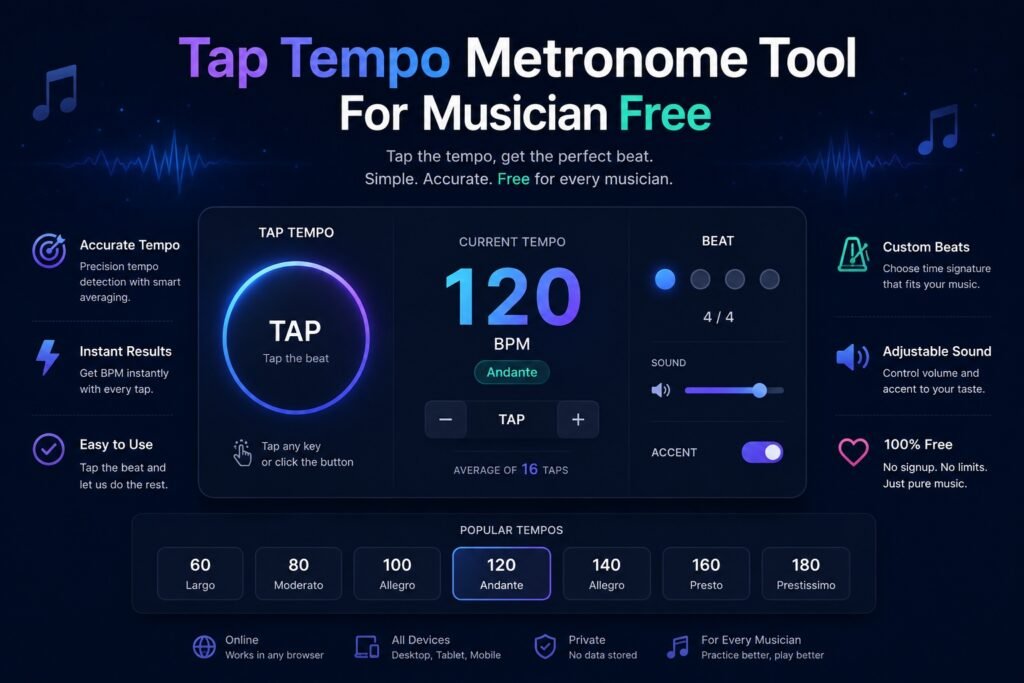
What Is a Tap Tempo Metronome?
A traditional metronome gives you a steady beat at a specific BPM (beats per minute) that you dial in manually. A tap tempo metronome flips that process around. Instead of setting the number first and listening, you tap a button in time with the music you already have in your head — or with a song that’s already playing — and the tool calculates the BPM for you automatically.
It’s an incredibly intuitive way to work, because rhythm lives in your body before it lives on a screen. You feel the beat, you tap it out, and the tool does the math.
How Does It Work?
The mechanics are simple. When you tap a button (or a key on your keyboard) repeatedly at a consistent rhythm, the tool measures the time intervals between each tap and calculates an average BPM. Most tap tempo tools ask for at least three or four taps before they display a confident reading, and the more you tap, the more accurate the result becomes.
Free tap tempo metronome tools online typically let you:
Tap using your mouse, trackpad, or a designated keyboard key (usually the spacebar). See the calculated BPM update in real time with each tap. Reset and start over whenever you need a fresh reading. Some even play a click track or metronome sound at the detected tempo so you can lock in immediately.
Why Musicians Love the Tap Tempo Feature
There’s a reason tap tempo has become a standard feature on hardware drum machines, looper pedals, delay effects, and digital audio workstations. It’s simply the most natural way to communicate tempo when you’re working with music rather than a spreadsheet.
It Bridges the Gap Between Feeling and Precision
Music is emotional before it’s mathematical. When you’re working on a new piece, you often have a feel for the speed before you have a number. Tap tempo honors that instinct. You tap what you feel, and the tool translates it into a precise BPM that you can actually use in your DAW, notation software, or practice session.
It’s Invaluable for Transcription and Cover Work
If you’re learning a song by ear or writing out sheet music for a band, knowing the exact BPM is essential. Rather than trial-and-error with a manual metronome, you play the song, tap along with the beat, and read off the tempo within seconds. It’s a huge time-saver.
It Helps With Live Performance
On stage, tempos can drift without a click track or a tight drummer holding things down. Some musicians use a tap tempo tool during soundcheck to confirm that their delay pedal, looper, or click track is synced perfectly to the set’s intended feel. A few quick taps and you’re dialed in.
How to Use a Free Tap Tempo Metronome Online
Getting started with a free tap tempo metronome takes about thirty seconds. Here’s a quick walkthrough of the general process, which applies to most free tools you’ll find online.
Step 1: Open the Tool
Search for “free tap tempo metronome” in your browser and you’ll find several solid options. Most work directly in your browser with no login, no download, and no cost. Look for one that clearly displays BPM, has a simple tap button, and ideally also plays an audible click at the detected tempo.
Step 2: Tap in Time
Start tapping — either by clicking the on-screen button or pressing the spacebar — in sync with the music you have in mind. Don’t rush; just feel the beat and let your taps follow naturally. The first tap starts the timer, and each subsequent tap refines the BPM calculation.
Step 3: Read and Use Your BPM
After four to eight taps, you’ll have a stable BPM reading. You can now plug that number into your metronome app, your DAW’s tempo field, or your drum machine. If the tool plays a click track, listen to make sure it matches your original feel, and adjust if needed.
Step 4: Reset and Refine
If the tempo doesn’t feel right, simply reset and tap again. Sometimes tapping along with the actual audio a second time gives a more accurate result than tapping from memory.
Features to Look for in a Free Tap Tempo Tool
Not all free tap tempo metronomes are created equal. Here are a few features worth looking out for when choosing the right one for your workflow.
Audible Click Playback
A tool that not only calculates BPM but also plays it back as an audible click track is far more useful for practicing. You can tap, confirm, and immediately start playing along — all in one step.
Subdivision Options
Some tools let you tap eighth notes or quarter notes and calculate the corresponding full-measure BPM. This is handy if the song has a clear subdivided feel that’s easier to tap than the main beat.
BPM Range Indicators
A good tap tempo tool will show you whether your detected tempo falls within a standard range (say, 40–300 BPM) and might even label it with musical terms like Andante, Allegro, or Presto, giving you a quick musical context for the number.
Keyboard Shortcut Support
Tapping the spacebar is faster and more natural than clicking a mouse button, especially when you’re tapping in real time with music playing. Keyboard support makes the whole experience smoother.
Practical Use Cases for Different Types of Musicians
Tap tempo metronomes aren’t just for one type of player. Here’s how different musicians can put them to use every day.
Songwriters use them to capture the tempo of a melody before sitting down to produce it properly. Guitarists and bassists use them to sync their practice sessions with recordings they’re learning from. Producers and beat makers use them to match the BPM of a sample before chopping it into a project. Music teachers use them to demonstrate tempo to students in a hands-on, visual way. DJs use them to identify the BPM of tracks without relying solely on software analysis. Drummers use them to check that their natural groove sits at the intended tempo for a rehearsal or recording.
Top Tips for Getting Accurate Tap Tempo Readings
Even though tap tempo tools are designed to be simple, a few small habits can make your readings consistently more accurate.
Tap more times, not fewer. The tool averages your input, so eight taps will always be more accurate than three. Tap on a steady surface so there’s no lag between your intention and the physical tap. Play the reference audio while tapping rather than tapping from memory. Relax your wrist and let the tempo flow through your hand rather than forcing it. If you get a wildly different reading than expected, your taps might be off by a factor of two — try tapping half-notes or double-time to find your footing.
Free vs. Paid Metronome Apps: Is Free Good Enough?
For most musicians — especially beginners and intermediate players — a free tap tempo metronome tool is absolutely sufficient. The core functionality you need (tap, calculate, display) is entirely free in web-based tools and many mobile apps.
Paid metronome apps tend to offer extras like custom time signatures, visual rhythm patterns, practice session logging, and offline access with premium polish. These features are genuinely useful for advanced practice, but they’re not necessary to get started or to handle most day-to-day tempo tasks.
If you practice seriously every day, a paid app might be worth the small investment down the line. But there’s no reason not to start with a free tap tempo tool right now and see how much value it brings to your sessions.
Conclusion
A tap tempo metronome is one of those tools that sounds simple on paper but becomes genuinely indispensable once it’s part of your musical toolkit. It respects the way musicians actually think — feeling the beat first, then finding the number — and it does it for free, instantly, right in your browser.
Whether you’re transcribing a favorite song, setting up a practice session, syncing your effects pedals, or just trying to capture a tempo idea before it slips away, tap tempo has you covered. So the next time a beat pops into your head, don’t just hum it — tap it out and let the tool do the rest. Your music will be tighter, your practice more focused, and your workflow a whole lot smoother.
Go ahead and find a free tap tempo metronome online today. A few taps is all it takes to get started.
Frequently Asked Questions
What is tap tempo on a metronome? Tap tempo is a feature that lets you tap a button in rhythm with the music you have in mind, and the tool automatically calculates the corresponding BPM. Instead of manually entering a number, you input the tempo naturally through your tapping, and the tool does the math for you.
Is a tap tempo metronome really free to use? Yes, many tap tempo metronome tools are completely free to use directly in your web browser with no download, no sign-up, and no hidden fees. They’re supported by simple web technology and are widely available online for any musician at any level.
How accurate are tap tempo tools? Tap tempo tools are quite accurate when used correctly. The key is to tap multiple times — ideally six to ten taps — so the tool can average out any slight inconsistencies in your rhythm. Tapping along with actual audio rather than from memory also improves accuracy significantly.
Can I use a tap tempo metronome for songwriting? Absolutely. Many songwriters use tap tempo tools to capture the feel of a melody or song idea before moving into a DAW or notation software. It’s a great way to translate a musical instinct into a concrete BPM that you can build a production or arrangement around.
What’s the difference between a tap tempo metronome and a regular metronome? A regular metronome requires you to manually enter a BPM and then it clicks at that speed. A tap tempo metronome works in reverse — you tap the rhythm you already feel, and the tool calculates the BPM for you. Both tools ultimately serve the same purpose, but tap tempo is often faster and more intuitive when you’re matching music rather than setting a new tempo from scratch.
Can beginners use a tap tempo metronome? Yes, tap tempo metronomes are beginner-friendly. There’s no complex setup or music theory knowledge required. You simply tap along with a beat or song, and the tool gives you a BPM reading. It’s actually one of the easiest ways for beginners to start understanding tempo and how it relates to the music they love.
Does tap tempo work for all music genres? Tap tempo works across all genres — pop, jazz, classical, hip-hop, rock, folk, and beyond. Any music that has a consistent rhythmic pulse can be analyzed with tap tempo. Even for music with subtle rubato or tempo changes, tapping during the steadiest sections will give you a useful reference BPM to work from.