
Whether you’re just starting out behind the decks or you’ve been rocking crowds for years, knowing how to find the BPM of a song quickly is one of the most essential skills in a DJ’s toolkit. Beat matching is the foundation of smooth mixing, and it all starts with understanding tempo. Get it right, and your transitions feel effortless. Get it wrong, and the dancefloor notices.
The good news? Finding BPM has never been easier thanks to modern tools and techniques. In this guide, we’ll walk you through exactly how DJs find BPM fast — from classic manual methods to cutting-edge software — so you can keep your mixes tight and your crowd moving.
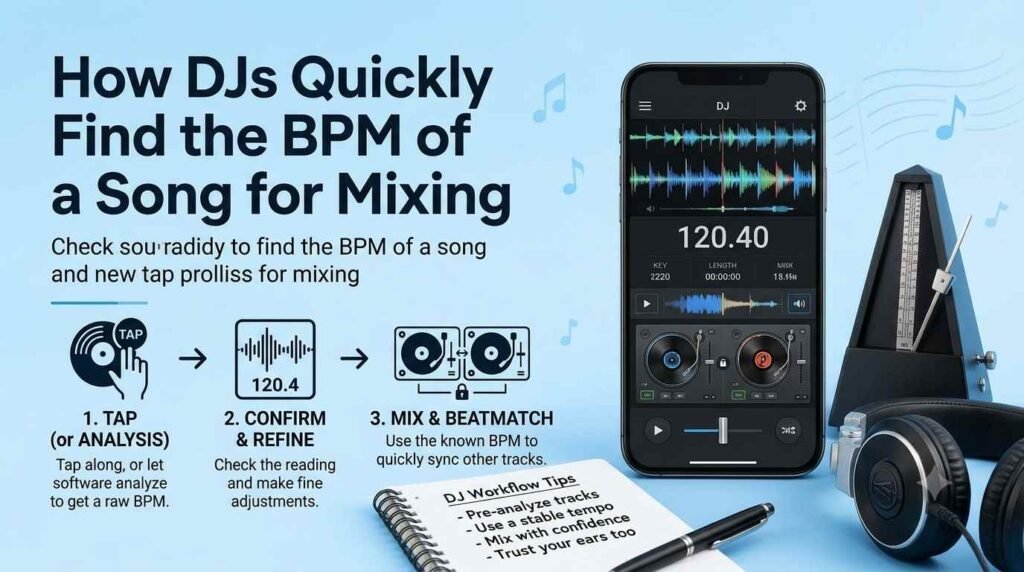
What Is BPM and Why Does It Matter for Mixing?
BPM stands for beats per minute, and it’s simply a measurement of how fast a track is. A song at 120 BPM has 120 beats happening every 60 seconds — which is why it feels very different from a laid-back 80 BPM groove or a frenetic 170 BPM drum and bass track.
For DJs, BPM is everything. When you’re mixing two songs together, you need their tempos to align (or at least be harmonically related) so the transition sounds natural rather than jarring. Back in the vinyl days, DJs had to develop an almost supernatural ear for tempo. Today, there are faster and smarter ways to get the job done — but the underlying concept stays the same.
Method 1: Using DJ Software with Auto-BPM Detection
This is by far the most common method modern DJs rely on, and for good reason — it’s fast, accurate, and almost completely effortless.
How Auto-BPM Detection Works
Programs like Rekordbox, Serato DJ, Traktor Pro, and Virtual DJ analyze a track’s audio waveform the moment you load it into your library. Within seconds, the software calculates the BPM and displays it right on screen. It even places beat markers (called a grid) across the track so you can see exactly where each beat falls visually.
Most DJ software gets BPM detection right the vast majority of the time, especially with mainstream electronic, pop, and hip-hop tracks. However, tracks with irregular rhythms — like live jazz, certain folk recordings, or songs with tempo changes — can sometimes trip up the algorithm. That’s when a little manual adjustment comes in handy.
Best DJ Software for BPM Detection
Here are the most popular options DJs use today:
Rekordbox — Pioneer DJ’s library management tool is a staple for club DJs, especially since most professional clubs use Pioneer CDJs. Its BPM detection is reliable and syncs seamlessly with hardware.
Serato DJ Pro — Widely loved for its intuitive layout and strong BPM accuracy, Serato is a favorite among hip-hop, turntablism, and open-format DJs.
Traktor Pro — Native Instruments’ flagship DJ software is known for its detailed waveform view and solid beat-gridding tools, popular with techno and house DJs.
Virtual DJ — A great option for beginners and mobile DJs, offering real-time BPM reading even before a track is fully analyzed.
Method 2: Using Dedicated BPM Analyzer Apps
Sometimes you need to check the BPM of a track outside of your DJ setup — maybe you’re curating a playlist on your laptop at home, or you want to check a new release before adding it to your set.
Standalone BPM analyzer tools are perfect for this. Some popular choices include:
Mixed In Key — This tool is known primarily for harmonic mixing (key detection), but it also delivers highly accurate BPM readings and is widely used by professional DJs worldwide.
BPM Analyzer by Sound Byte — A simple, free app that scans your music library and tags each track with its BPM. It’s lightweight and doesn’t require you to load a full DJ program.
Tempo by Robinhoodie — A popular iOS app that detects BPM in real time. You tap a button to the beat or let it listen to a song, and it tells you the tempo instantly.
Tunebat — A web-based tool that lets you look up the BPM and key of millions of songs already in its database. It’s great for research before you even download a track.
These apps are especially handy when you’re building a set list and want to plan your energy flow from one track to the next.
Method 3: The Manual Tap Tempo Method
Before software existed, DJs found BPM the old-fashioned way — by tapping it out manually. And while it might seem outdated, this method is still genuinely useful, especially when you’re troubleshooting an incorrectly analyzed track or working with live music.
How to Tap BPM Manually
Most DJ controllers and mixers have a dedicated tap tempo button. Simply tap the button in time with the kick drum or main beat of a song for about 8 to 16 beats, and the software or hardware will calculate the average tempo from your taps.
If you don’t have a tap button on hand, you can use any number of free online tools like BPM Tap (bpmtap.com) — just open it on your phone or laptop, listen to the track, and tap the spacebar or screen in time with the beat. The site averages your taps and gives you a BPM reading within seconds.
The more beats you tap, the more accurate the result. Aim for at least 16 taps for a solid reading.
Method 4: Checking Music Metadata and Online Databases
Here’s a time-saving trick that many DJs overlook — a lot of professionally released music already has BPM data embedded in its metadata.
When you purchase or download tracks from platforms like Beatport, Traxsource, or Bandcamp, the BPM is often listed right on the track’s page and may even be included in the file’s metadata tags. This means when you import the file into your DJ software, the BPM might already be there waiting for you.
Tunebat and Every Noise at Once are two online resources where you can search for specific songs and pull up tempo and key information quickly. Spotify also displays BPM data through its developer tools, and third-party sites have built user-friendly interfaces around this data.
For DJs who work with a lot of mainstream music or build sets around specific artists, pre-tagged metadata can be a huge time-saver.
Method 5: Training Your Ear Over Time
No guide on finding BPM would be complete without mentioning the one method that no app can replace — developing a trained ear. Experienced DJs can hear a track and estimate its BPM within a few beats, which is an invaluable skill when you’re performing live and things don’t go exactly to plan.
You don’t need to be able to identify 128 BPM from 130 BPM by sound alone (that’s nearly impossible without reference). But you should be able to broadly recognize whether a track feels like it’s in the 90s, 120s, or 140s. This comes from listening actively and intentionally to music over time.
Spending time beat-matching on vinyl or practicing without sync is one of the best ways to develop this awareness. Many experienced DJs credit their years on vinyl for giving them a deep, intuitive feel for tempo that software simply can’t teach.
Quick Tips for Accurate BPM Reading
Getting BPM right every time is about combining the right tools with good habits. A few things worth keeping in mind:
Always analyze your full library before a gig so you’re not waiting on the fly for tracks to be processed. Periodically double-check auto-detected BPMs, especially on older recordings or tracks from less mainstream genres. If a BPM reading looks unusual — like 64 or 256 BPM when you’d expect something in between — the software may have halved or doubled the actual tempo, which is a common detection error. And when in doubt, trust your ears over the number on screen.
Conclusion
Finding BPM quickly is one of those DJ skills that becomes second nature with time and practice. Whether you’re relying on the auto-analysis in Rekordbox, tapping out a tempo on your controller, or scrolling through Beatport’s track metadata, the goal is always the same — keeping your mix tight and your transitions smooth.
Start with the tools that work best for your setup, build your library habits around accurate BPM tagging, and gradually train your ear so you always have a fallback when technology lets you down. The more comfortable you get with tempo, the more creative and confident your mixing will become.
Frequently Asked Questions
Q1: What is a good BPM range for DJ mixing as a beginner? Most beginner DJs start in the 120–130 BPM range because it covers a wide variety of popular genres like house, dance-pop, and commercial electronic music. These tempos are forgiving and easy to beat-match, making them ideal for learning the fundamentals.
Q2: Can DJ software get BPM wrong? Yes, occasionally. Auto-detection can struggle with tracks that have inconsistent rhythms, live recordings, or unconventional time signatures. It can also double or halve the detected BPM (reading 70 BPM as 140, for example). Always verify readings that seem unusual before your gig.
Q3: Is tap tempo accurate enough for professional DJing? Tap tempo is accurate enough for getting a quick ballpark reading or correcting a wrongly analyzed track. For precise beat-gridding, though, you’ll want to combine it with visual waveform confirmation in your DJ software.
Q4: Do I need to know BPM if I use the sync button? Even if you use the sync button (which automatically matches BPMs), understanding tempo is still important. Knowing BPM helps you plan your set, choose compatible tracks, and troubleshoot sync issues — especially if a track is incorrectly analyzed.
Q5: What BPM is most popular for club music? It depends on the genre. House music typically sits around 120–130 BPM, techno ranges from 130–150 BPM, drum and bass lives at 160–180 BPM, and hip-hop usually falls between 80–100 BPM. Knowing your genre’s typical tempo range helps you set up your library efficiently.
Q6: Are there free tools to check BPM online? Absolutely. Tunebat offers a searchable database of BPM and key information for millions of songs. BPMTap.com lets you tap out a tempo manually in your browser. Many DJ software programs like Virtual DJ and older versions of Rekordbox also have free tiers with BPM analysis included.
Q7: How long does it take to analyze a full music library for BPM? This depends on the size of your library and the speed of your computer. A few hundred tracks might take just a few minutes, while a library of tens of thousands of songs could take several hours. Most DJs let their software analyze tracks overnight or during downtime so everything is ready well before a gig.