
Have you ever listened to a track and thought, “What’s the tempo of this song?” Whether you’re a DJ trying to mix two songs seamlessly, a music producer building a beat from scratch, or a fitness instructor curating the perfect workout playlist, knowing the BPM (beats per minute) of a song is incredibly useful. And one of the easiest, most accessible ways to figure it out? A tap tempo tool.
In this guide, we’ll walk you through everything you need to know — what BPM is, why it matters, how tap tempo tools work, and how to use them accurately to find the tempo of virtually any song. No music theory degree required.
What Is BPM and Why Does It Matter?
BPM stands for beats per minute, and it’s essentially the heartbeat of a song. It tells you how fast or slow a piece of music moves. A track with 60 BPM has one beat per second — that’s a slow, relaxed pace. A track at 180 BPM is firing off three beats every second — that’s fast, energetic, and intense.
Understanding BPM matters for a surprisingly wide range of people and purposes.
DJs and music producers rely on BPM to match tracks during live mixing or when layering sounds in a digital audio workstation (DAW). Syncing up two songs that are even slightly off tempo creates an uncomfortable clash that listeners notice immediately.
Fitness instructors and athletes use BPM to match music to workout intensity. Running cadence, for example, is often best supported by music in the 160–180 BPM range. Yoga flows, on the other hand, pair beautifully with tracks in the 60–80 BPM range.
Dancers and choreographers need to understand tempo to sync movements with the music. A few BPM off and the whole routine can feel awkward.
Music teachers and students use BPM as a reference point when learning songs, setting metronomes, or analyzing music structure.
In short, BPM is a universal language in music. Once you know how to find it, a whole new layer of musical understanding opens up.
What Is a Tap Tempo Tool?
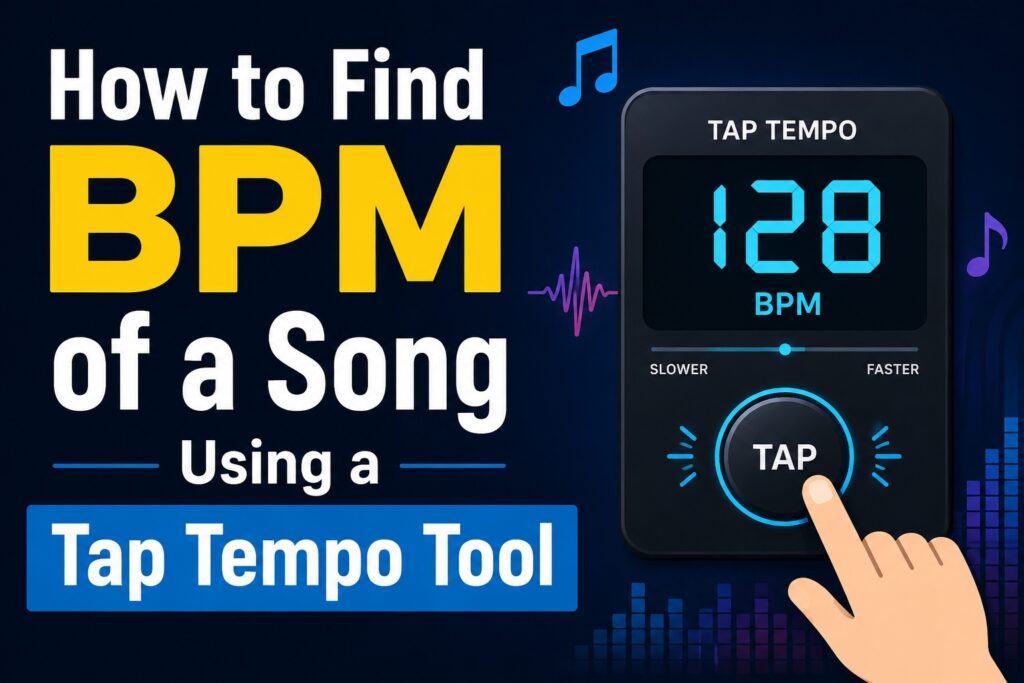
A tap tempo tool is exactly what it sounds like — a digital (or physical) tool that lets you tap along to the beat of a song and calculates the BPM based on your tapping rhythm.
Most online Tap tempo tools work through a simple interface: a large button (or any key on your keyboard, often the spacebar) that you tap repeatedly in time with the beat. The tool then measures the time intervals between your taps and calculates an average BPM.
The beauty of a tap tempo tool is that it requires no special software, no audio input, and no technical knowledge. All you need is the song playing and your finger.
Types of Tap Tempo Tools
There are a few different ways you can access tap tempo functionality.
Online browser-based tools are the most common and widely used. Sites like BPMTapper, Tap BPM, and All8 offer free, browser-based tap tempo calculators you can access from any device. Just open the site, play your song, and start tapping.
Standalone apps for iOS and Android offer the same functionality on your phone. Some apps, like BPM Tap Tempo or Tempo Lite, also include metronome functions, making them handy for musicians on the go.
DAW integrations are built into most major digital audio workstations like Ableton Live, FL Studio, and Logic Pro. These allow you to tap tempo directly inside your music production environment.
Hardware devices like drum machines, synthesizers, and some DJ controllers include physical tap tempo buttons, which are great for live performance scenarios where precision really counts.
How to Find BPM of a Song Using a Tap Tempo Tool: Step-by-Step
Let’s get into the actual process. Here’s how to find the BPM of a song with a tap tempo tool, step by step.
Step 1: Choose Your Tap Tempo Tool
Start by selecting the tool that works best for your situation. For most casual users, a free online tool is perfectly sufficient. Open your browser and search “tap tempo tool” — you’ll find plenty of reliable options instantly. If you’re a producer or musician who regularly needs BPM information, consider downloading a dedicated mobile app.
Step 2: Play the Song You Want to Analyze
Open up the track you want to find the BPM for. Play it through your speakers or headphones. Before you start tapping, listen to the song for a few seconds to get a feel for its rhythm. Identify the beat — usually the kick drum or a recurring rhythmic element that falls on a steady pulse.
If you’re new to identifying beats, try nodding your head naturally to the music. Your instinct will often lock onto the rhythm faster than you expect.
Step 3: Start Tapping in Time with the Beat
Once you’re ready, start tapping the button (or spacebar) in time with the beat as you hear it. Try to stay as consistent as possible — tap every time you feel the main beat, not on every sound you hear.
For most common music styles like pop, rock, hip-hop, or electronic dance music, you’ll be tapping once per beat, following the standard 4/4 time signature.
Step 4: Tap Enough Times for an Accurate Reading
This step is important. The more taps you register, the more accurate your BPM reading will be. Most tap tempo tools average out the intervals between your taps, so the first few readings may bounce around a bit. Give yourself at least 8–12 taps before trusting the number that appears.
For high-accuracy results, try tapping for a full 16 or 32 beats. This gives the tool more data points to average and produces a more reliable result.
Step 5: Read the BPM Result
Once you’ve tapped enough times, the tool will display a BPM number. This is the estimated tempo of your song. You can usually hit a “Reset” button to start over if you feel your tapping wasn’t accurate or if you want to verify the result with another attempt.
Step 6: Verify the Result
It’s good practice to run the test two or three times and compare the readings. If they’re consistently landing around the same number — say, 124 BPM, 125 BPM, and 124 BPM — you can be confident that’s the correct tempo. If your readings vary wildly, try the process again, focusing more carefully on the beat.
Tips for Getting a More Accurate BPM Reading
Getting precise BPM from a tap tempo tool is mostly about your tapping consistency, but here are a few tips to help you get the most accurate results.
Listen before you tap. Spend a few seconds just listening before you begin tapping. Familiarizing yourself with the groove makes your timing more natural.
Use headphones. Tapping along with headphones reduces distractions and puts the beat right in your ears, improving your accuracy.
Focus on a single rhythmic element. Rather than trying to follow the whole song, zero in on one repeating element — the kick drum, the snare, the bass line, or the hand clap. Consistency is easier when you’re locked onto one sound.
Avoid tapping on the off-beats. In many genres, there are strong secondary beats and accents that can trick you into tapping at double the actual tempo. If your BPM reading seems unusually high, try halving the number.
Use a keyboard shortcut if available. Many online tap tempo tools let you use your spacebar instead of clicking the mouse. This is often more comfortable and can lead to more rhythmic, consistent tapping.
When to Use a Tap Tempo Tool vs. Automatic BPM Detection
Tap tempo tools are so good, but they’re not the only way to find a song’s BPM. Automatic BPM detection software, which analyzes the audio waveform directly, is another popular option. So when should you use which?
A tap tempo tool is best when you don’t have the audio file handy, when the song is playing in real time (like during a live set), or when you want a quick, no-fuss estimate without downloading any software. It’s also useful for musicians practicing by ear.
Automatic BPM detection software (like that built into Ableton, Rekordbox, or free tools like Mixxx) is more accurate and better suited for situations where precision is critical — such as DJing, syncing tracks in a DAW, or building a catalog of analyzed music files. These tools read the actual audio data and can identify BPM to decimal-point precision.
For most casual needs, a tap tempo tool does the job beautifully. For professional use, it’s often worth combining both methods.
Common Genres and Their Typical BPM Ranges
Knowing the general BPM range for different music genres can help you double-check whether your tap tempo reading seems plausible. Here’s a quick reference.
Ambient and downtempo music usually falls between 60 and 90 BPM. Hip-hop typically ranges from 70 to 100 BPM, though trap music often sits around 130–140 BPM when counting half-time. Pop and R&B generally range from 90 to 130 BPM. House music typically runs between 120 and 130 BPM. Techno and trance usually land between 130 and 160 BPM. Drum and bass pushes into the 160–180 BPM zone, and hardcore or gabber can exceed 180 BPM.
If your tap tempo reading places a slow ballad at 160 BPM, chances are you may have been tapping at double time — try halving the value and see if it makes more sense.
Conclusion
Finding the BPM of a song doesn’t have to be complicated. With a tap tempo tool, all it takes is a few taps of your finger, a little bit of rhythm, and a moment of focused listening. Whether you’re a DJ, producer, dancer, athlete, or just a curious music lover, knowing how to identify and use BPM opens up a whole new relationship with the music you love.
The next time a song gets you moving and you find yourself wondering what makes it feel so energizing or so relaxing, tap it out. The number might just surprise you — and it’ll definitely help you use that song more intentionally, whatever your purpose may be.
Frequently Asked Questions (FAQs)
1. What does BPM mean in music?
BPM stands for beats per minute. It’s a measurement of the tempo of a piece of music — how many rhythmic beats occur in a single minute. A higher BPM means a faster song, while a lower BPM indicates a slower, more relaxed pace.
2. Is a tap tempo tool accurate enough for professional use?
Tap tempo tools can be quite accurate when used carefully, but they depend on human timing and can vary slightly from tap to tap. For casual use, they’re perfectly reliable. For professional applications like DJing or music production, it’s often better to use automatic BPM detection software alongside tapping, or to use tap tempo as a quick verification method.
3. How many times should I tap to get an accurate BPM reading?
A good rule of thumb is to tap at least 8 to 12 times before reading the result. For a more reliable average, tapping 16 to 32 beats is even better. Most tap tempo tools calculate a running average, so the more consistent taps you provide, the more accurate the output.
4. Why does my tap tempo reading seem too high or too low?
If your reading seems too high, you may be tapping on the off-beats or subdivisions rather than the main beat. Try halving the BPM. If it seems too low, you might be tapping on every other beat. Try doubling it. Listening carefully to the song and identifying the main pulse before you start tapping helps prevent this.
5. Can I find BPM without tapping using free tools?
Yes. Several free tools and platforms offer automatic BPM detection. Websites like Tunebat, GetSongBPM, and BPMSupreme have large databases of songs with BPM data already listed. DAWs like Ableton Live and GarageBand also include BPM analysis features. However, for songs not in a database or for live music, tap tempo remains one of the most convenient options.
6. Does BPM change within a single song?
Yes, some songs change tempo throughout — this is common in classical music, progressive rock, jazz, and certain experimental genres. Most pop, electronic, and hip-hop tracks maintain a consistent tempo, but always listen through a larger portion of the song if you suspect the tempo shifts. In those cases, the BPM you tap may only reflect one section.
7. What’s the best free tap tempo tool online?
There are several excellent free options. Tap BPM (at tapbpm.com), BPMTapper, and All8.com are among the most popular and user-friendly. They all work directly in your browser, require no sign-up, and produce quick, reliable results. Many also allow keyboard shortcuts so you can tap with the spacebar for more natural rhythm.