
Whether you’re a bedroom producer just starting out or a seasoned DJ looking to tighten up your workflow, figuring out the tempo of a track before remixing it is one of the most fundamental skills you’ll ever develop. Get it right, and your remix flows like a dream. Get it wrong, and everything sounds off — the kick drum is late, the synths drift, and your mix falls apart before the drop even hits.
The good news? Finding the tempo of a track doesn’t have to be mysterious or frustrating. With the right tools and techniques, you can nail the BPM (beats per minute) of almost any song in a matter of minutes. This guide walks you through everything you need to know, step by step.
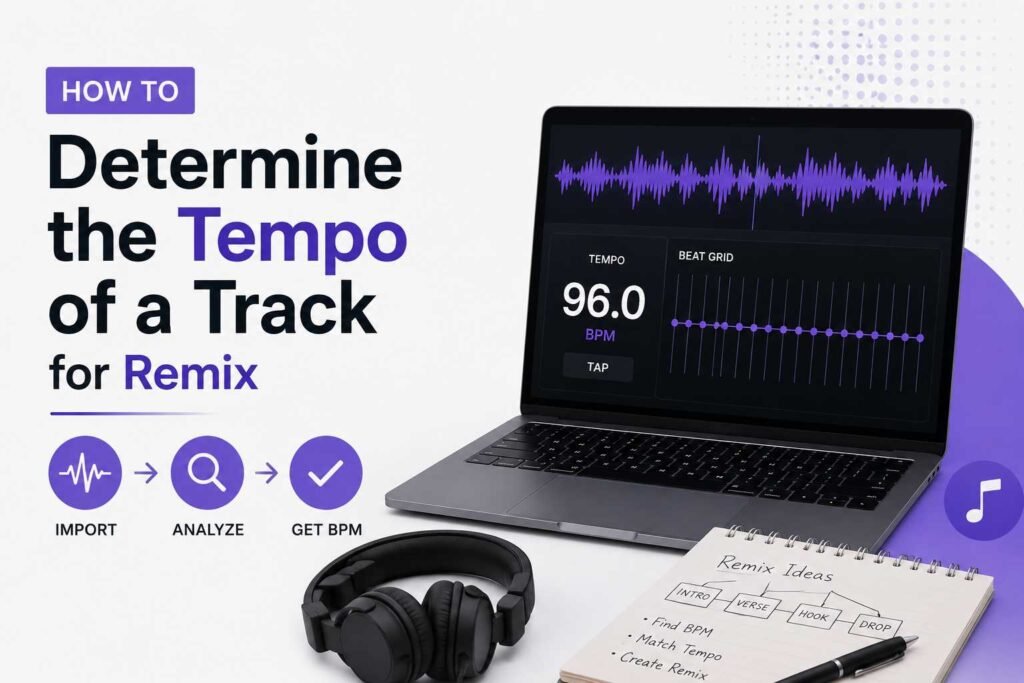
Why Tempo Detection Matters for Remixing
Before we dive into the how, let’s quickly talk about the why. When you remix a track, you’re essentially rebuilding it — layering new elements, swapping instruments, rearranging structure. All of that work depends on one thing: knowing the exact BPM of the original track.
If your project is set to 128 BPM but the original song is actually 126.5 BPM, your added elements will gradually drift out of sync. Vocals will feel early or late, drum hits won’t land on the grid, and your remix will have that unsettling “almost right” feeling that’s hard to pinpoint but impossible to ignore.
Getting the tempo right from the start saves you hours of manual nudging and lets you focus on the creative stuff — which is why you started remixing in the first place.
Method 1: Tap Tempo (The Old-School Way)
This is the simplest method and requires zero software. It’s not the most precise, but it’s a great starting point when you just need a rough estimate.
How to Use Tap Tempo
Most DAWs (Digital Audio Workstations) like Ableton Live, FL Studio, and Logic Pro have a built-in tap tempo feature. Simply play the track, tap a key or button in time with the beat — usually every quarter note or kick drum hit — and the software averages your taps to give you a BPM reading.
There are also free online tap tempo tools (just search “tap tempo” in your browser) that work just as well if you’re not near your DAW.
Tip: Tap for at least 30 seconds to get a more accurate average. The more taps, the better the reading.
While tap tempo is handy, it’s not reliable enough for precision work. For remixing, you’ll almost always want to confirm the reading with a more accurate method.
Method 2: BPM Detection Software and Plugins
This is where things get a lot more accurate and efficient. Modern DAWs and dedicated tools can analyze an audio file and return a precise BPM reading automatically.
Using Your DAW’s Built-In BPM Detection
Most modern DAWs have this feature built right in:
Ableton Live — Drag your audio file into an audio track. Right-click the clip and choose “Warp.” Ableton will attempt to detect the BPM automatically and warp the clip to your project tempo. You can also use the “Set 1.1.1 here” and “Set Song Tempo” options to match the project to the clip’s tempo.
FL Studio — Drop the audio into the playlist, right-click the file, and select “Detect tempo.” FL Studio will analyze the file and suggest a BPM range.
Logic Pro — Use the “Beat Detection” feature under the Edit menu, or simply drag the clip in and use Smart Tempo to analyze and adapt the file automatically.
Third-Party BPM Detection Tools
If your DAW’s detection isn’t cutting it, there are excellent standalone tools worth knowing about:
Mixed In Key is a popular choice among DJs and producers. It analyzes your files and reports BPM along with musical key — both very useful for remixing. Serato DJ and rekordbox also have solid BPM detection built into their library management systems.
For a free option, Sonic Visualiser with the BPM detection plugin is surprisingly accurate and completely open source.
Method 3: Manual Grid Matching in a DAW
When automated tools give you conflicting results or a track has tempo variations, you’ll need to roll up your sleeves and do it manually. This method is slower but gives you the highest level of accuracy.
Step-by-Step Manual BPM Detection
Step 1: Import the track. Drop the audio file into a new project in your DAW.
Step 2: Zoom in on the waveform. Find a section with clear transients — the kick drum at the start of a bar is usually the cleanest reference point.
Step 3: Place a marker on the first beat. Align the beginning of the waveform with bar 1, beat 1 on your DAW’s timeline.
Step 4: Count bars and adjust tempo. Play through 8 or 16 bars and check whether the grid stays aligned with the kick hits. If the grid drifts forward or backward, adjust the BPM up or down in small increments (0.1 BPM at a time) until the transients stay locked to the grid.
Step 5: Test across the full track. Once your grid matches the first section, verify it holds for at least 60–90 seconds of the track. Some older recordings and live recordings have subtle tempo drift that you’ll need to address with warping or automation.
Method 4: Using Online BPM Analyzers
If you just need a quick reading without opening your DAW, online BPM analyzers are a real time-saver. Sites like GetSongBPM.com, SongBPM.com, or BPMSupreme allow you to search for a track by name and artist, pulling the BPM from a database of analyzed songs.
These are especially useful when you’re working with commercially released tracks, since most major releases have already been catalogued. Just keep in mind that these databases aren’t always 100% accurate, so it’s always worth double-checking with one of the in-DAW methods above before committing to a tempo.
Dealing with Tracks That Have Variable Tempos
Some tracks — particularly recordings of live bands, jazz, classical music, or certain genres of electronic music — don’t stay at a fixed BPM. They breathe, fluctuate, and feel organic in a way that makes grid-locking a real challenge.
Tempo Mapping for Variable-BPM Tracks
Most professional DAWs support tempo automation or “tempo maps,” which let you assign different BPM values to different points in the timeline. Here’s the general approach:
Work through the track section by section — verse, chorus, bridge — adjusting the tempo in your DAW to match each section. Ableton’s Warp Markers are particularly powerful for this, allowing you to “pin” specific beats to specific points on the timeline without needing to set an exact global BPM.
This takes patience, but once your tempo map is complete, you can lock your new remix elements to the grid with total precision.
Pro Tips for Accurate BPM Detection
Here are a few things experienced producers always keep in mind when hunting for a track’s tempo.
Half-time and double-time confusion is very common. A track might be detected at 75 BPM when it’s actually a 150 BPM track played at half the feel, or vice versa. Always listen critically to confirm whether the detected BPM matches the actual “feel” of the music.
Always work from a clean audio file. MP3s with heavy compression artifacts can confuse BPM detectors. When possible, use WAV or FLAC files for analysis.
Reference multiple tools. If Ableton says 124 BPM and your online analyzer says 123 BPM, check a third source before deciding. Two out of three is usually your answer.
Confirming Your BPM Before You Build
Once you’ve determined the tempo, do one final check before you start building your remix. Play the original track in your DAW with the grid enabled and listen through at least two full verses or choruses. If every beat, fill, and hit lands exactly on the grid, you’re good to go. If something feels off, go back and fine-tune.
This small check can save you from discovering a tempo error three hours into your remix — which, trust me, is not a fun experience.
Conclusion
Finding the tempo of a track for remixing is part science, part craft. Whether you tap it out by ear, let your DAW’s algorithms do the heavy lifting, or painstakingly grid-match every bar by hand, the goal is always the same: get everything locked in time so your creative ideas can shine without technical friction holding them back.
Start with automated detection tools for speed, verify manually when precision matters, and don’t be afraid to use multiple methods together. Once tempo detection becomes second nature, you’ll spend less time troubleshooting and more time making music — and that’s exactly where you want to be.
Frequently Asked Questions
Q1: What is BPM, and why does it matter for remixing? BPM stands for beats per minute, and it’s the standard measure of musical tempo. In remixing, your project tempo needs to match the original track’s BPM so that new elements you add — drums, basslines, synths, vocals — stay in sync with the source material throughout the track.
Q2: What’s the most accurate method for detecting BPM? Manual grid matching in a DAW is the most precise method, especially for tracks with subtle tempo variations. For standard electronic music and most pop tracks, automated detection tools in software like Ableton Live, Logic Pro, or Mixed In Key are accurate and fast enough for professional use.
Q3: Can I use a free tool to detect BPM? Absolutely. Tap tempo tools are completely free and available online. Sonic Visualiser is a free open-source audio analysis program with BPM detection capabilities. Many online databases like GetSongBPM.com are also free to use and cover millions of songs.
Q4: What should I do if my DAW detects two different BPM values? This usually happens when the software detects a half-time or double-time value. Try both tempos in your project and listen carefully to which one matches the actual groove and feel of the music. A 128 BPM house track and a 64 BPM half-time reading are mathematically the same, but feel completely different.
Q5: How do I handle a track that changes tempo throughout? Use your DAW’s tempo mapping or automation features. In Ableton Live, Warp Markers are perfect for pinning specific beats to the timeline. In Logic Pro, Smart Tempo’s track-based mode can build an automatic tempo map from the audio analysis. Working section by section gives you the most control.
Q6: Does the audio file format affect BPM detection accuracy? Yes, it can. Lossless formats like WAV and FLAC give detectors cleaner transients to analyze, resulting in more accurate readings. Heavily compressed MP3s can occasionally throw off automated algorithms, so using the highest quality file available is always a good practice.
Q7: Is it possible to remix a track without knowing its exact BPM? Technically yes, but it’s very difficult and limits what you can do creatively. If you’re only adding a few loose ambient elements, you might get away with it. But for anything rhythmic — drums, basslines, arpeggiated synths — you really need the exact BPM to keep everything in time and sounding professional.